
Learning to spot a phishing email is one of the best ways to protect your home computer and your business network. Scammers pretend to be your bank, a delivery company, a vendor, or even your boss, and try to get you to click a bad link, open an infected file, or hand over a password. Use this guide to catch the warning signs before you click.
What is phishing?
A fake email designed to trick you. It often looks like it came from your bank, a shipping company, or even your boss.
How to spot a phishing email: the warning signs
1Check the sender’s address
The name looks official, but the real address is a look-alike domain.

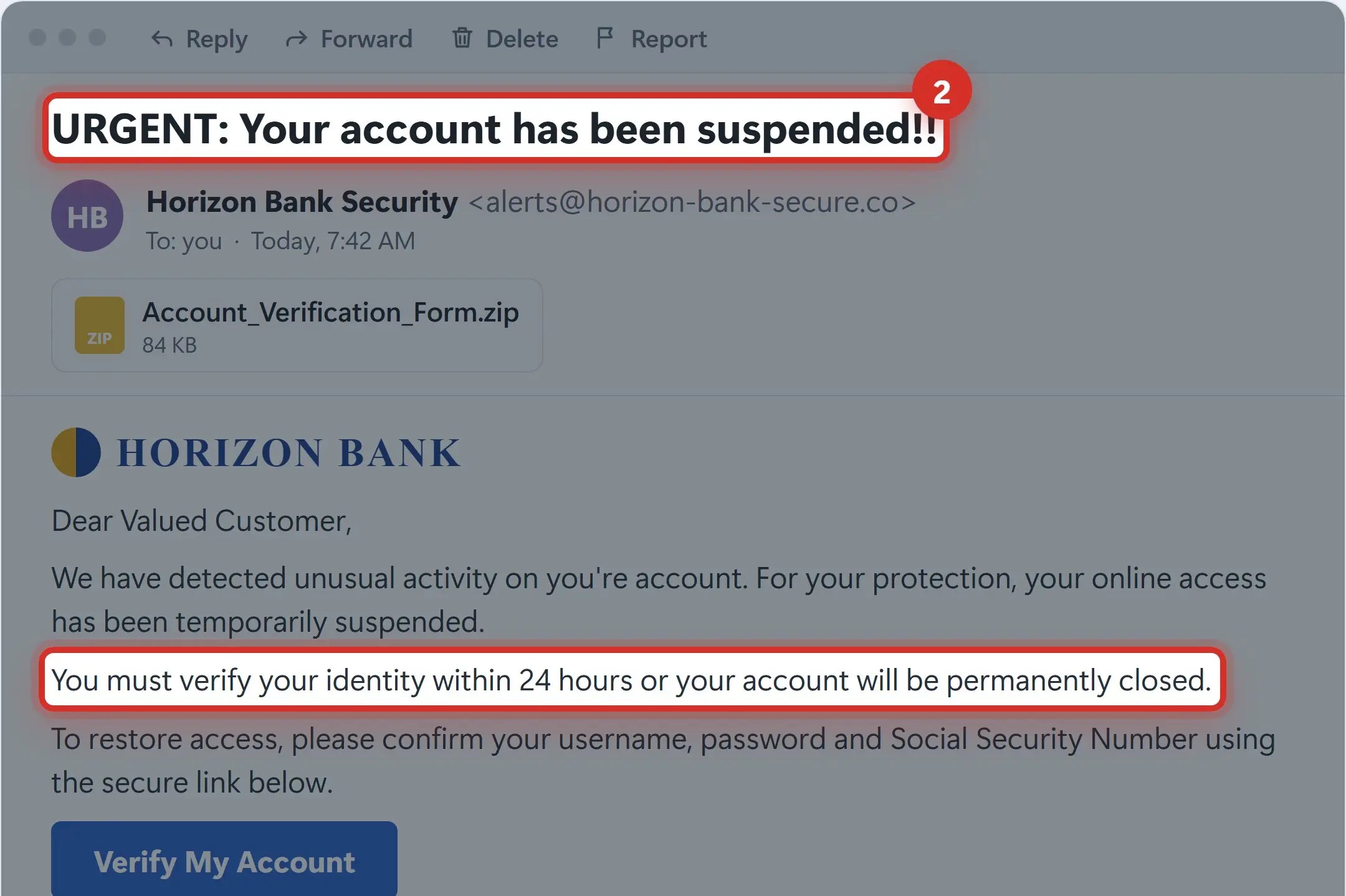
2Watch for urgent or threatening language
Countdowns and threats are designed to make you panic and act fast.
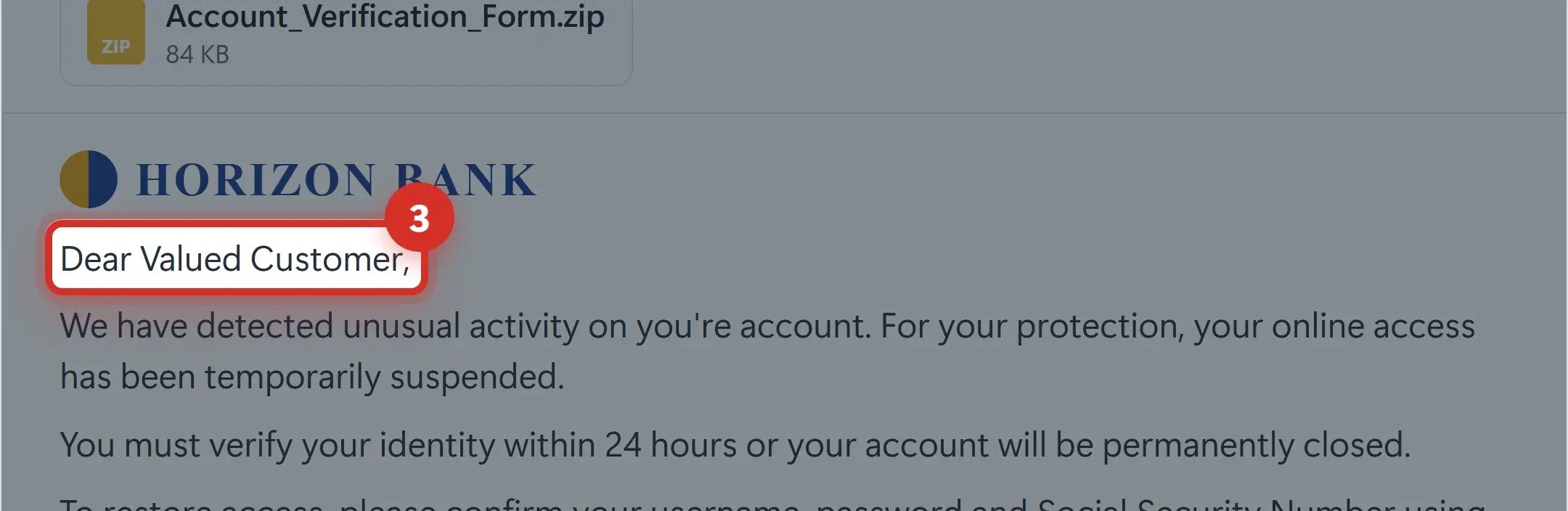
3Beware of generic greetings
“Dear Valued Customer” means they don’t actually know who you are.
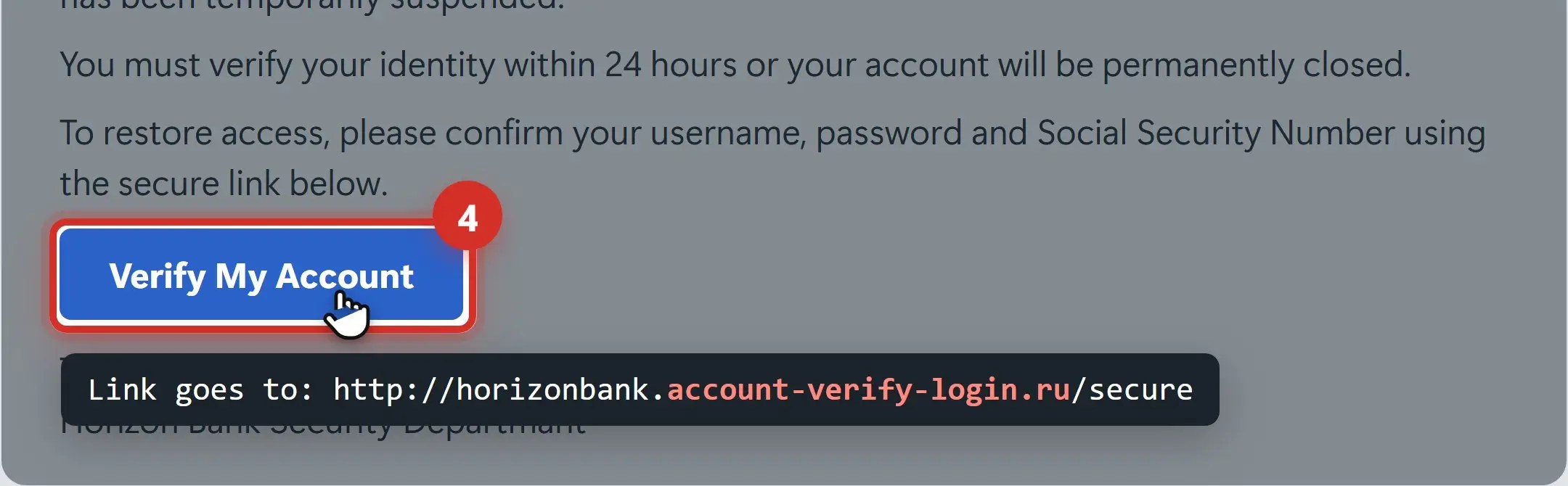
4Hover over links before you click
The button says one thing. The real web address says another.
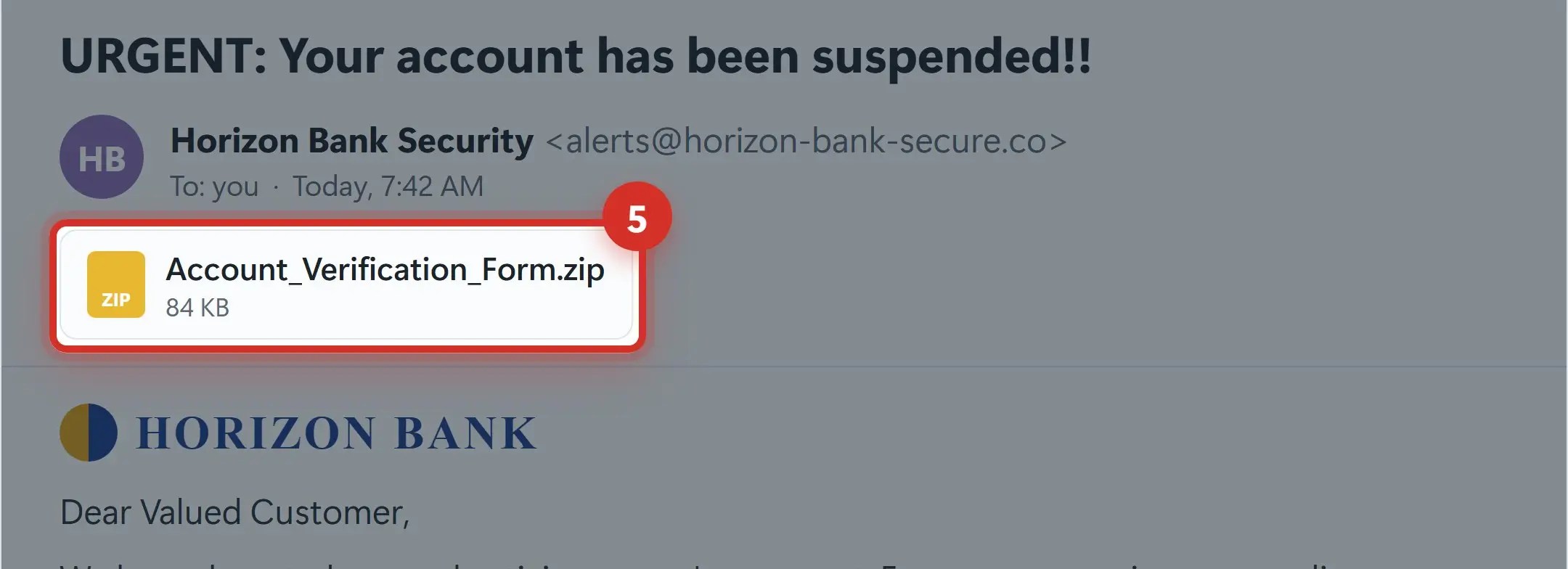
5Don’t open unexpected attachments
Zip files, web pages and Office files that ask you to “enable content” can install malware.
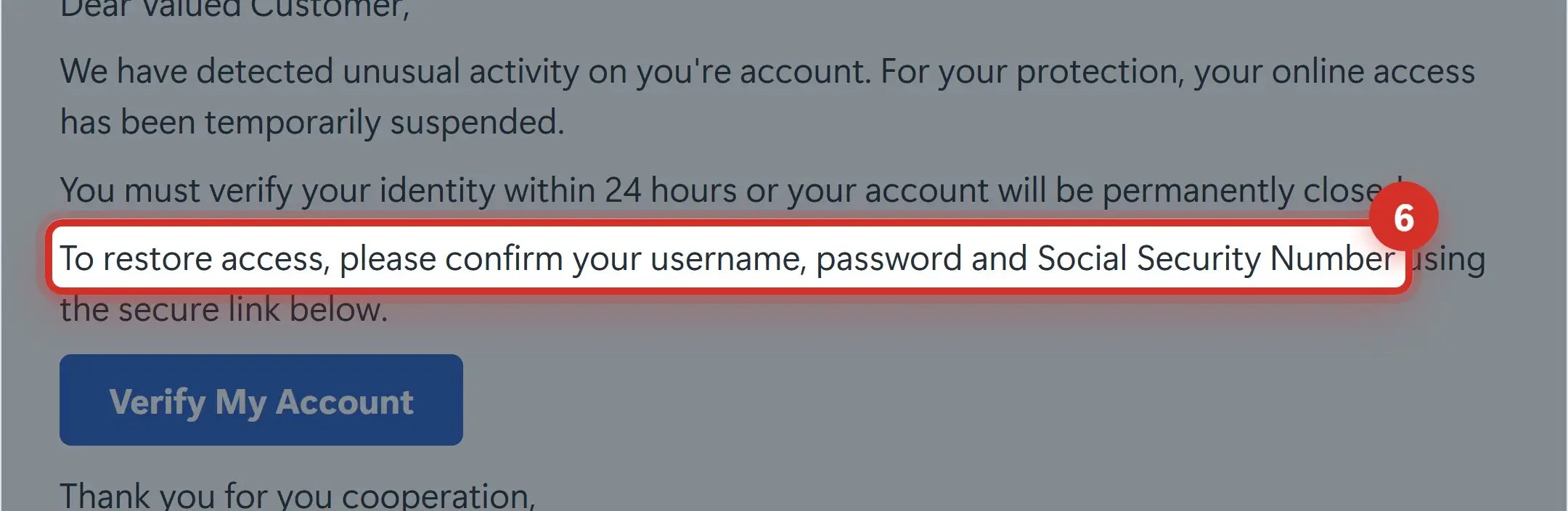
6Never send personal info by email
No real company will ask for your password or Social Security number in an email.
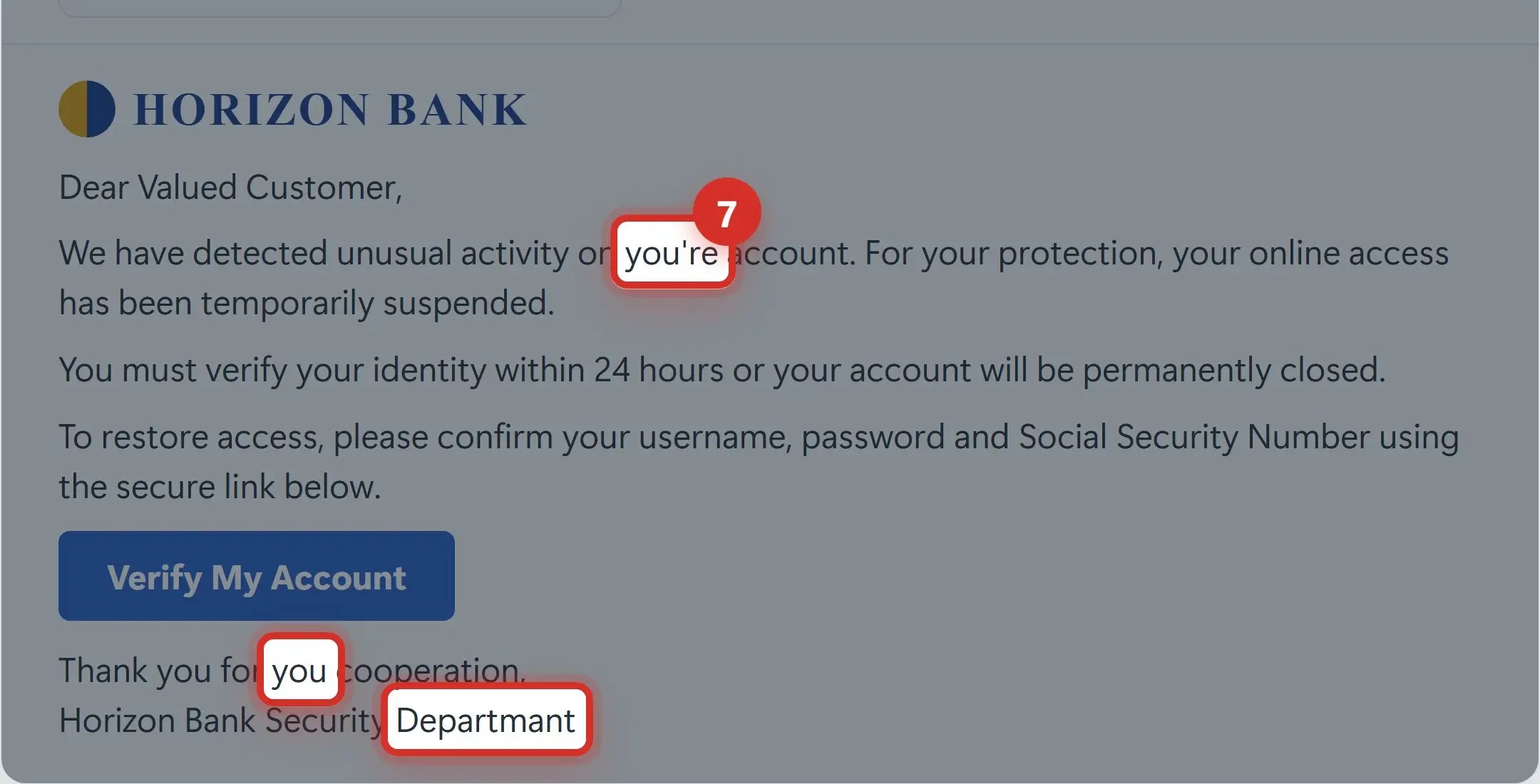
7Look for spelling and grammar mistakes
Typos, awkward wording and odd formatting are common giveaways.
8Fake requests from your boss or a vendor
Gift cards, changed bank details or rush wire transfers, sent quietly and in a hurry.

Spotted one? Here’s what to do.
- Don’t click links or open attachments
- Don’t reply to the sender
- Report it — Use the “Report phishing” button, or forward it to your I.T. team
- Delete it
Already clicked? Act fast.
- Change your password — Start with the account you entered it into, then any account that uses the same password
- Turn on multi-factor authentication — A code on your phone stops attackers even if they have your password
- Call Naples Computers: 239-513-1960 — We’ll check your computer and accounts. The sooner, the better.
Recap: how to spot a phishing email
- Check the sender’s address
- Watch for urgent threats
- Be wary of generic greetings
- Hover before you click
- Avoid unexpected attachments
- Never email personal info
- Look for spelling mistakes
- Verify money requests by phone
Printable quick guide
Frequently asked questions
How can I spot a phishing email on my phone?
The same warning signs apply, but they’re harder to see on a small screen. Tap the sender’s name to see the full email address, and press and hold a link to preview where it really goes instead of tapping it. If anything looks off, contact the company using a number or app you already trust.
What should I do if I clicked a link in a phishing email?
Close the page and don’t enter anything else. If you typed a password, change it right away, starting with that account and any other account that uses the same password, and turn on multi-factor authentication. Then call Naples Computers at 239-513-1960 so we can check your computer and accounts.
Should I reply to a phishing email or click Unsubscribe?
No. Replying, or clicking any link in the message (including Unsubscribe), tells scammers your address is active and can take you to a malicious page. Use your email program’s Report phishing option or forward it to your I.T. team, then delete it.
Where can I report a phishing email?
In Outlook and Gmail, use the built-in Report phishing option; at work, report it to your I.T. team. You can also forward phishing emails to the Anti-Phishing Working Group at [email protected], and report scams to the FTC at ReportFraud.ftc.gov.
Related guides
- Phishing awareness training for employees
- How to turn on two-factor authentication
- Clicked a phishing link? Get help fast
Source: How To Recognize and Avoid Phishing Scams (FTC)