
Locked out of your Microsoft account or your Apple ID? This guide shows how to reset a forgotten password safely, using Microsoft’s own sign-in page or Apple’s iforgot.apple.com, plus how to spot a fake password-reset text or email instead of the real thing.
Before you start
Start from the real site, never from a link in a text or email.
How to reset a forgotten microsoft or apple id password: step by step
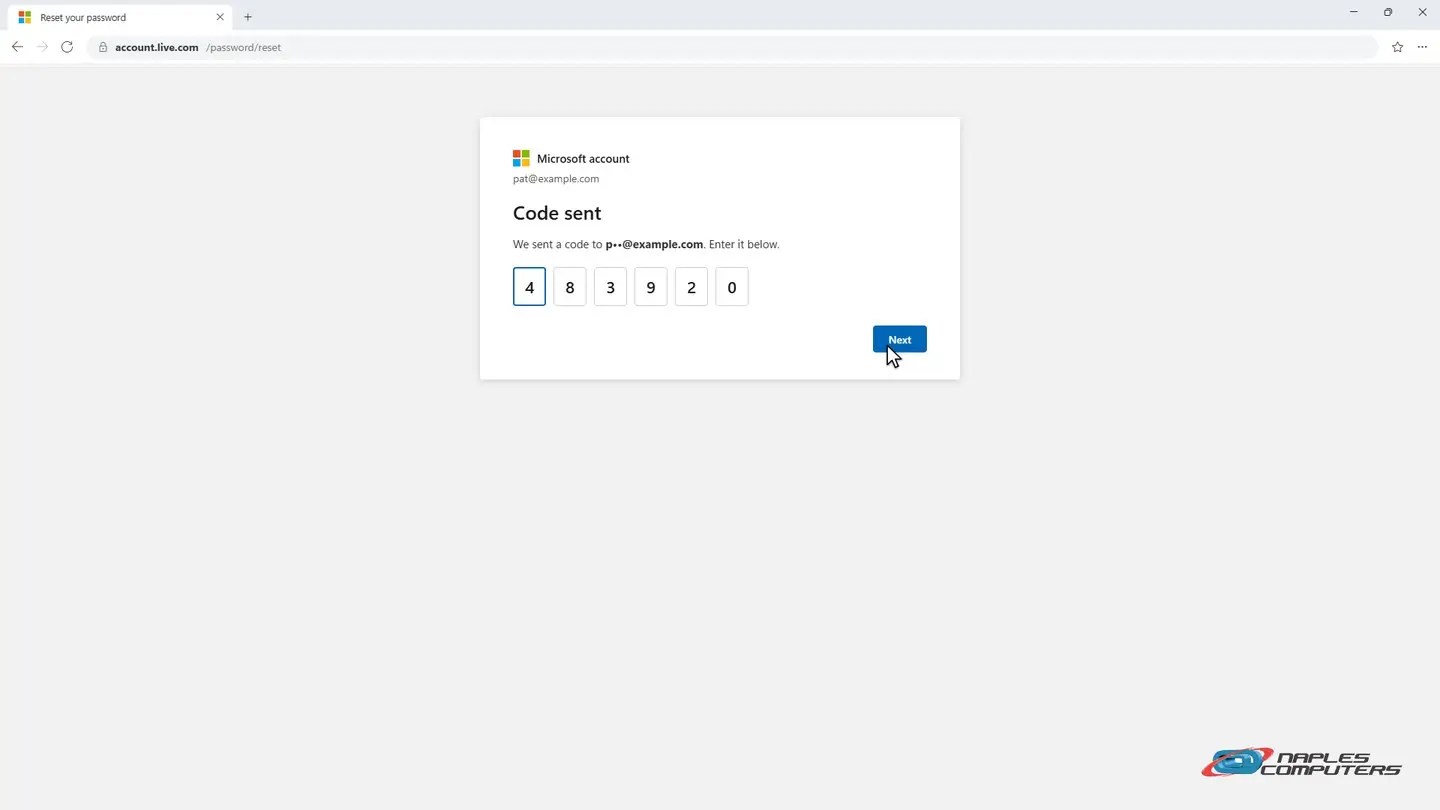
1Microsoft: Forgot my password?
On the Microsoft sign-in page, select Forgot my password, and click Send code.
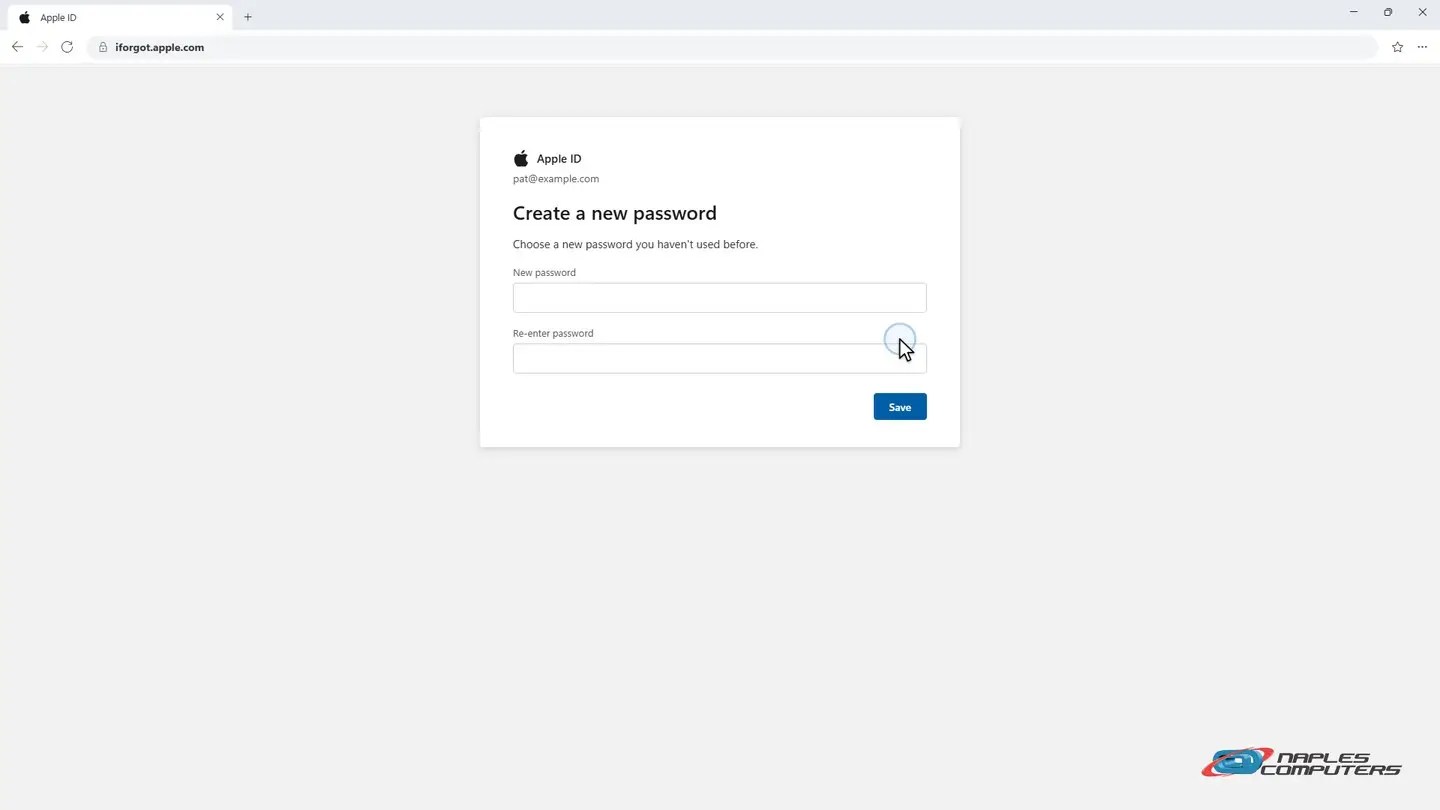
2Apple ID: iforgot.apple.com
At iforgot.apple.com, enter your Apple ID, and click Send code.
A few tips
- Beware the fake “password reset” text — A link in an unexpected text or email can lead to a fake copy of the real site.
- No trusted device or code? Account recovery takes longer — Both Microsoft and Apple have a slower process when you’ve lost everything.
- Set up a passkey next — Face, fingerprint, or PIN — so you may not need a password at all next time.
Recap: reset a forgotten password
- Go to the real site yourself — never a link in a text or email
- Microsoft: sign-in page → Forgot my password → code → new password
- Apple ID: iforgot.apple.com → code → new password
- No code? No trusted device? Use account recovery instead
Printable quick guide
Frequently asked questions
Where do I actually go to reset a forgotten Microsoft or Apple password?
Go directly to the sign-in page yourself (or use Settings on an Apple device) and look for “Forgot my password?”, or go to iforgot.apple.com for an Apple ID. Never use a link from a text or email you weren’t expecting.
What if I don’t have access to my recovery phone or email?
Both Microsoft and Apple offer a slower account recovery process for this situation. It takes longer, often a few days, because they need extra ways to confirm it’s really you.
Is it safe to click a link in a text that says my password was reset?
Treat it as suspicious by default. Scammers send fake password-reset messages to steal your login on a convincing copy of the real site. Go to the real site yourself instead of clicking the link.
Can Naples Computers reset my password for me?
We can walk you through the official process and help confirm a message is legitimate, but only you can complete identity verification for your own account, since that’s how Microsoft and Apple keep accounts secure.
Related guides
- Passkeys: what they are and how to start using them
- How to Turn On Two-Factor Authentication
- What to do if your email was hacked
Source: Reset a forgotten Microsoft account password (Microsoft Support)