
Here’s how to print a document on Windows 11 and on a Mac, plus how to print to a PDF file when you need a digital copy instead of paper.
Two ways to print
- To a real printer — Paper copies for signing, mailing, or handing someone
- To a PDF file — A digital copy you can email, save, or upload
- Same dialog, same steps — Just a different choice in one menu
How to print a document, step by step
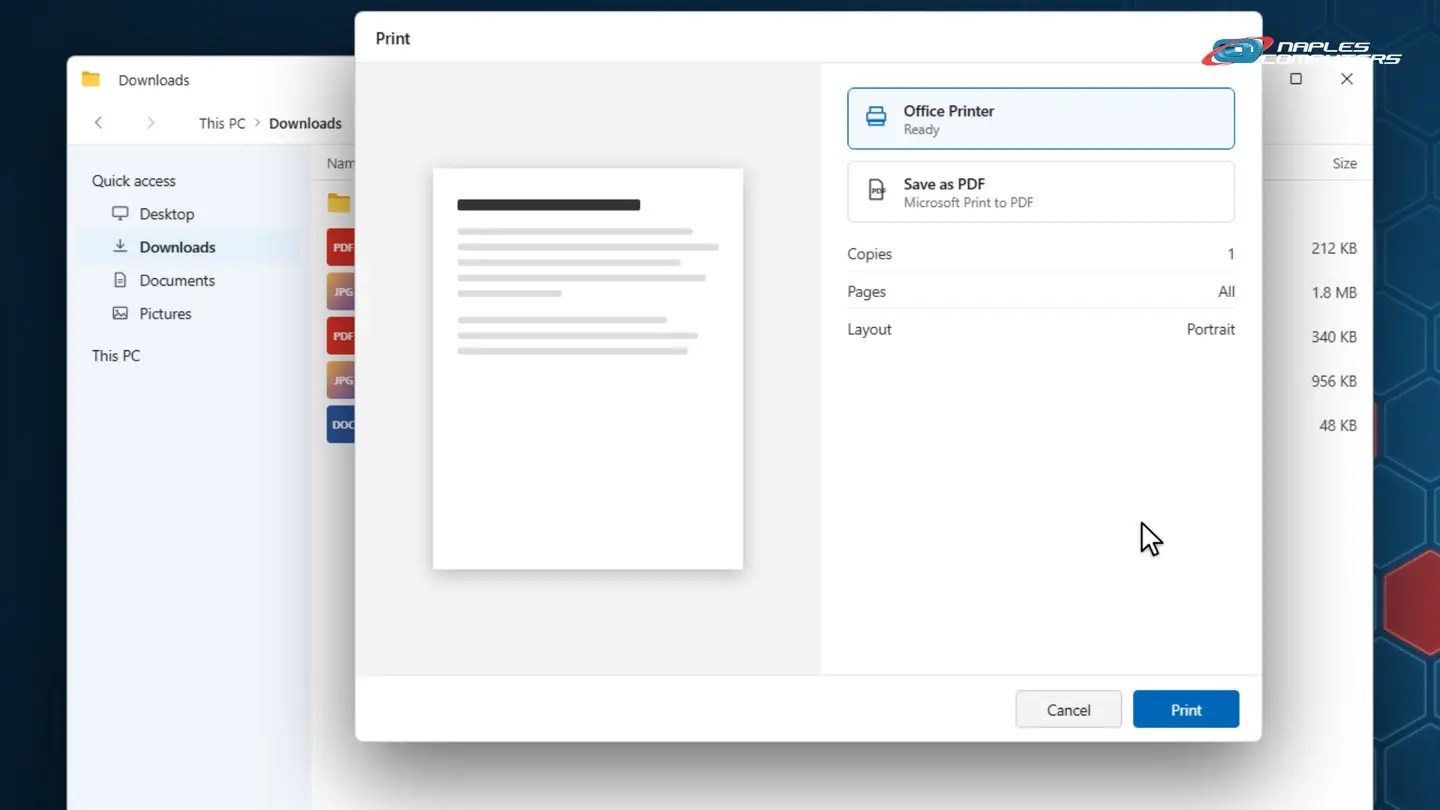
1Windows: print to a printer
Right click a file, then choose Print from the menu.
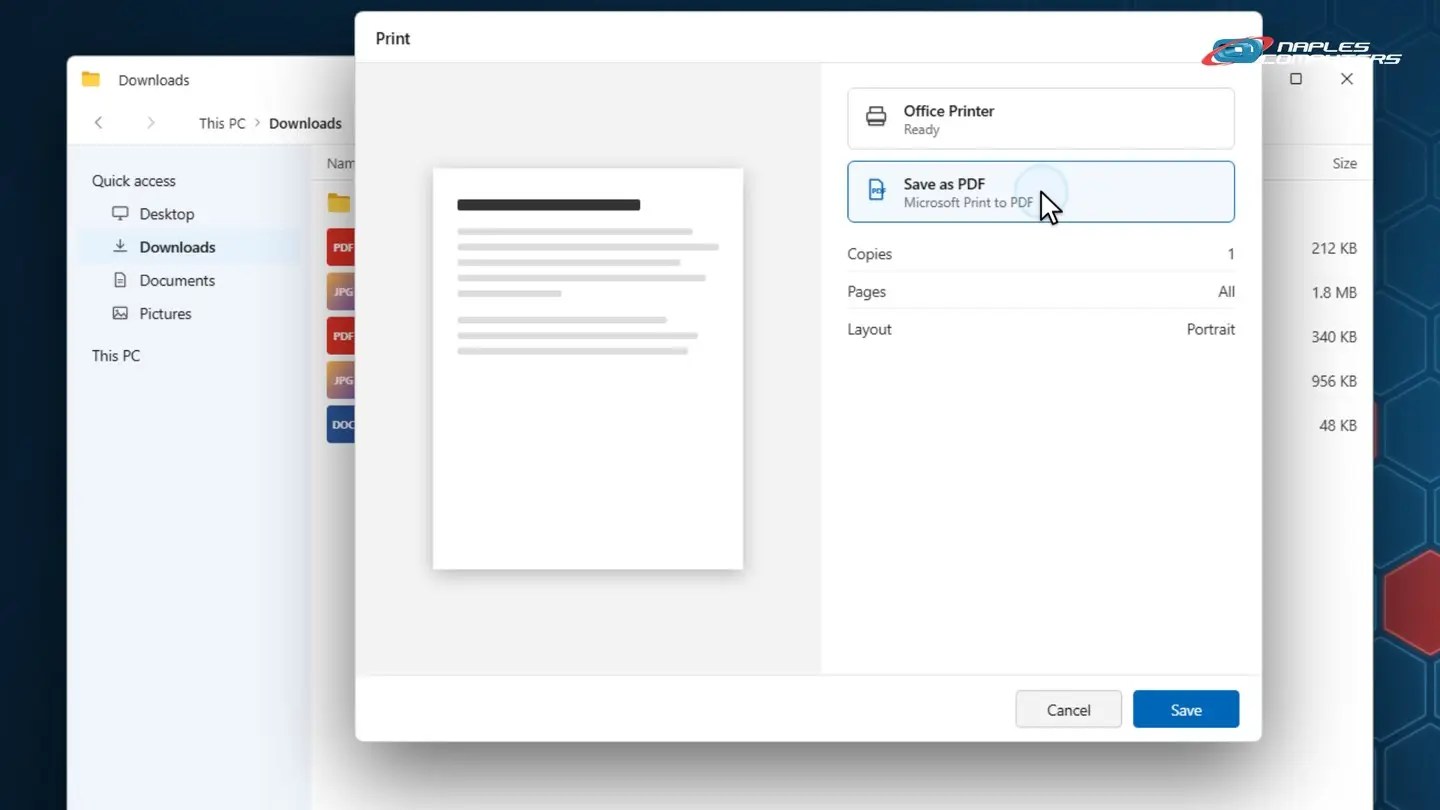
2Windows: print to PDF
Right click the file, choose Print, then click Save as PDF.
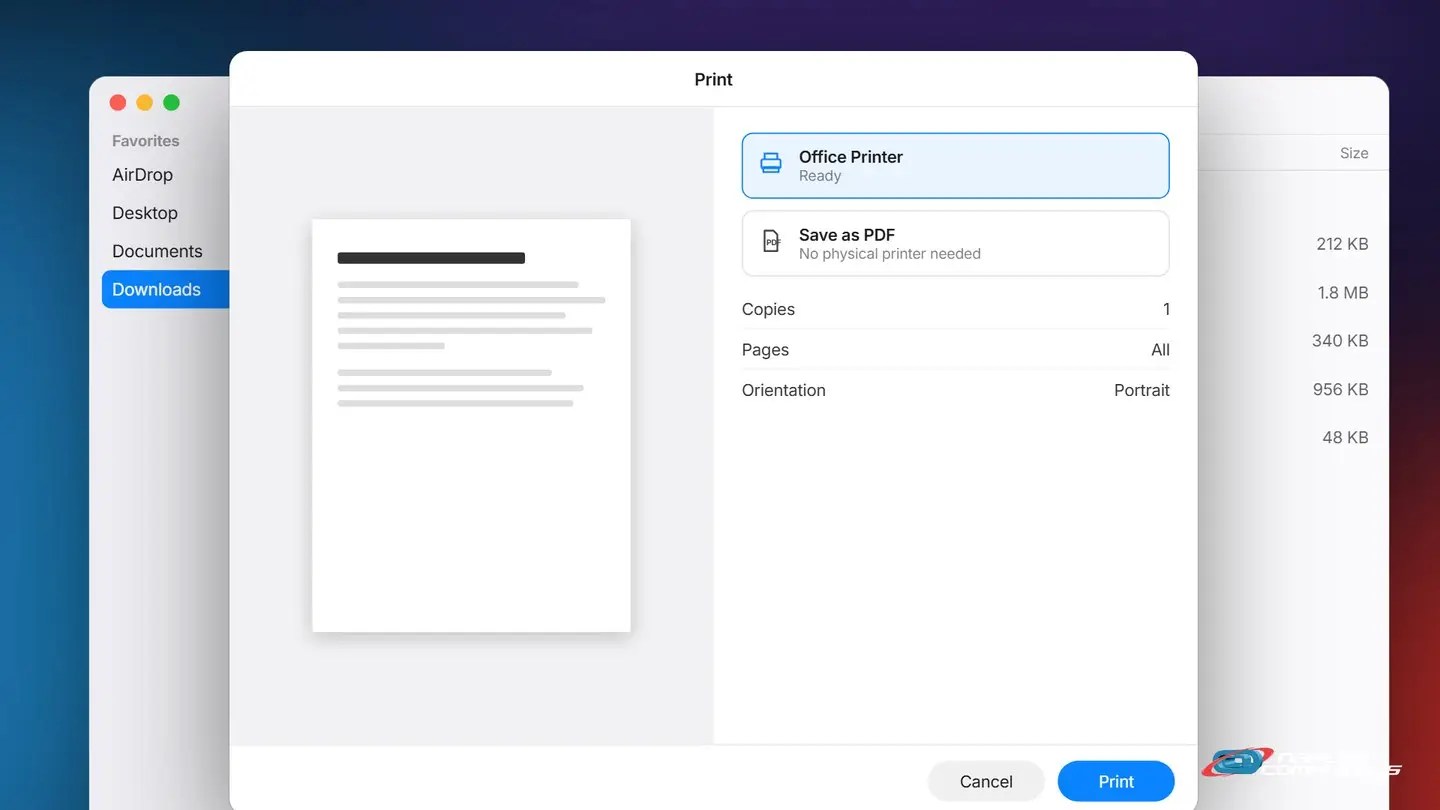
3Mac: print to a printer
Right click a file, then choose Print from the menu.
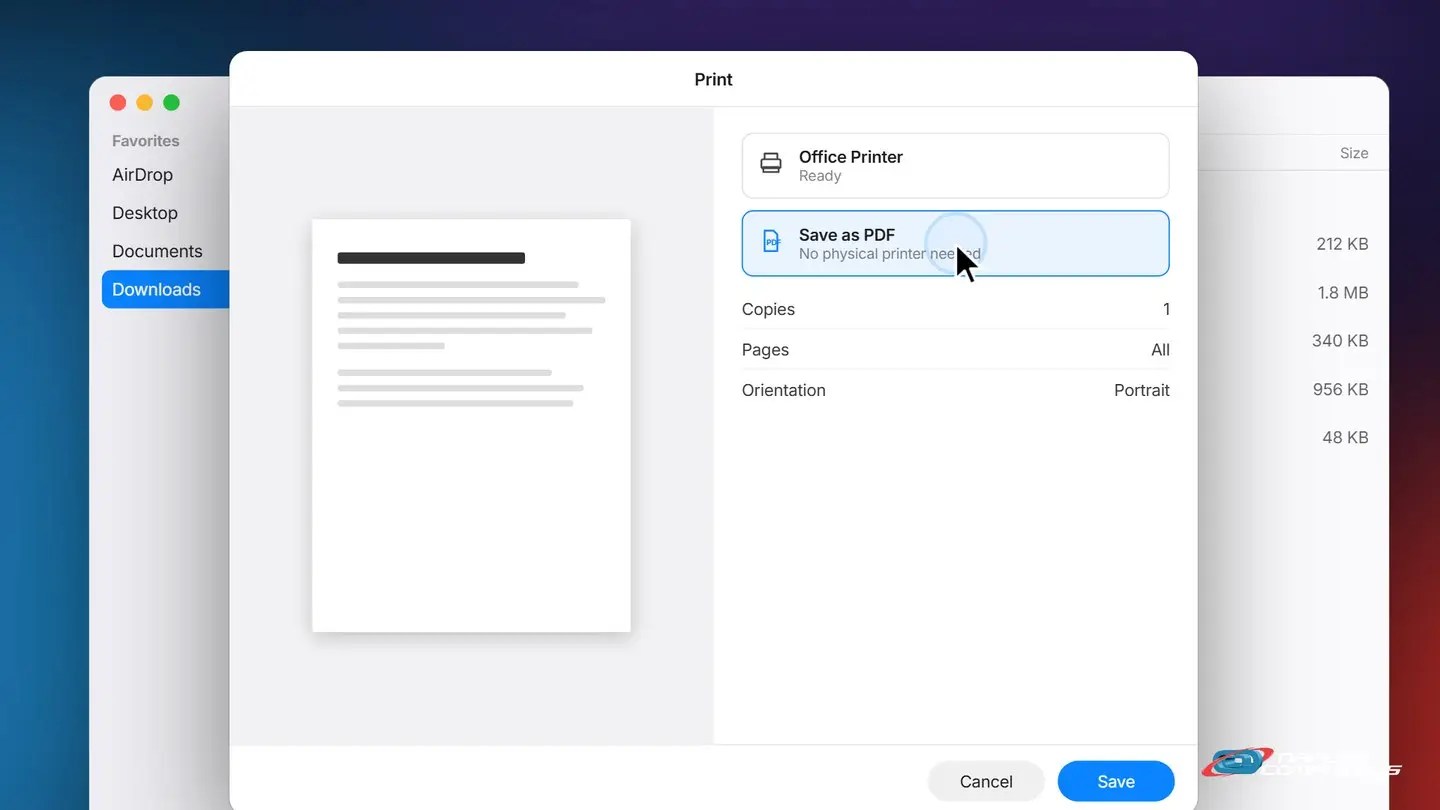
4Mac: print to PDF
Right click the file, choose Print, then click Save as PDF.
A few tips
- No printer shows up? — Make sure it’s turned on and connected, then try again
- Check the preview first — Catches blank pages or the wrong orientation before you waste paper
- You can print from almost anywhere — A webpage, an email, a photo – look for Print in the menu
Recap: how to print a document
- Right click the file, choose Print
- For paper: pick your printer, then click Print
- For a PDF: choose Save as PDF, then click Save
- Same dialog works almost everywhere
Printable quick guide
Frequently asked questions
How do I print a document on Windows 11?
Right click the file and choose Print, or open it and press Control+P. Choose your printer in the Print dialog, then click Print.
How do I print a document on a Mac?
Right click the file and choose Print, or open it and press Command+P. Choose your printer, then click Print.
How do I print to a PDF instead of paper?
In the Print dialog, choose Save as PDF (Mac) or Microsoft Print to PDF (Windows) instead of a physical printer, then click Save. The file lands in your Downloads folder.
No printer shows up in the list. What do I do?
Make sure the printer is turned on and connected to your network or computer, then try again. If it still doesn’t show up, call us.
Related guides
Source: Fix printer connection and printing problems in Windows (Microsoft Support)