
Here’s how to connect an iPhone or Android phone to a Wi-Fi network: find the setting, tap your network, enter the password, and confirm you’re connected.
Why connect to Wi-Fi?
- Faster, and off your data plan — Streaming, video calls, and big downloads use a lot less cellular data
- Better signal indoors — Wi-Fi often reaches further inside your home than cell service
- Needed for some apps and updates — Many app and software updates only download over Wi-Fi by default
How to connect your phone to Wi-Fi, step by step
1iPhone: connect to Wi-Fi
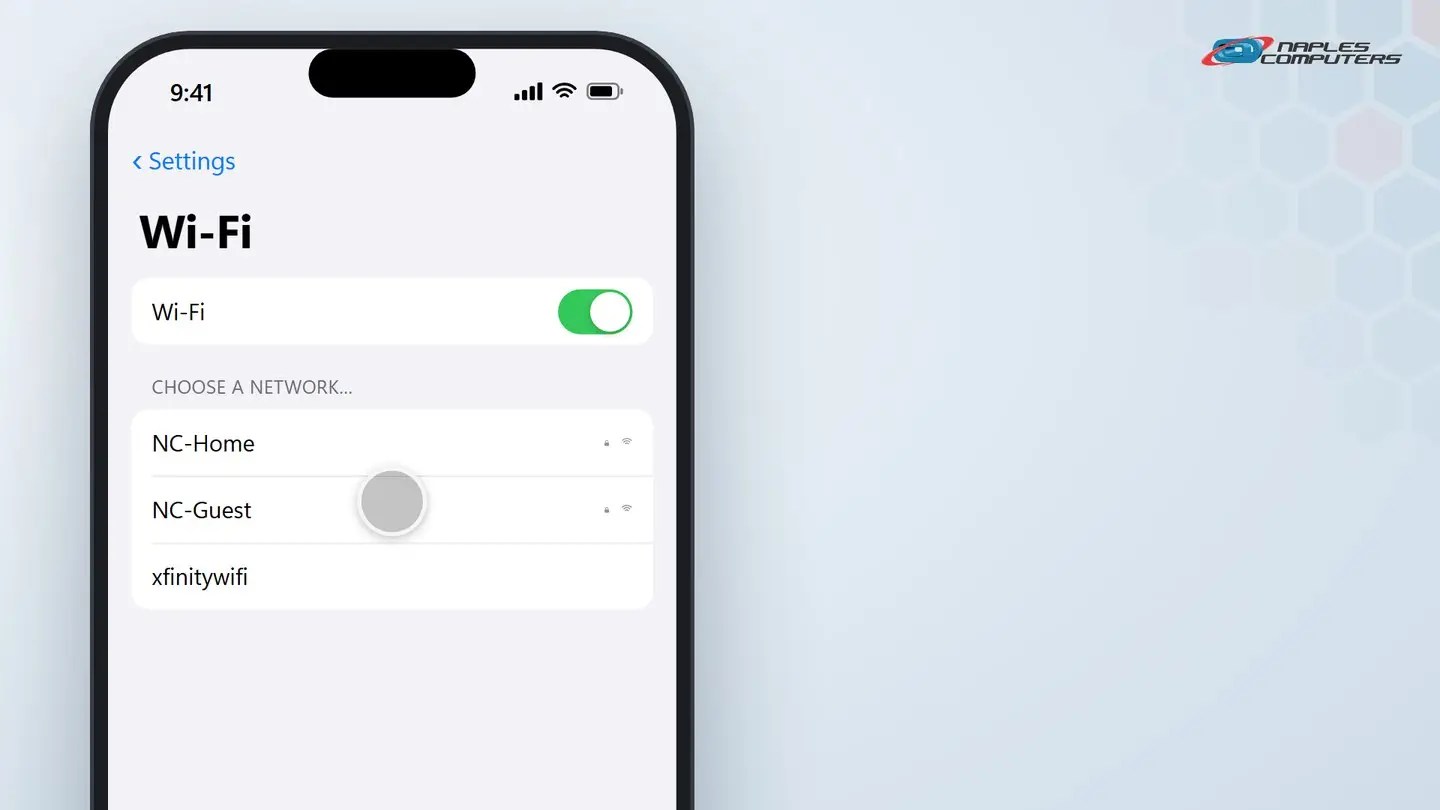
Open Settings, then tap Wi-Fi. Tap the name of your network.
2Android: connect to Wi-Fi
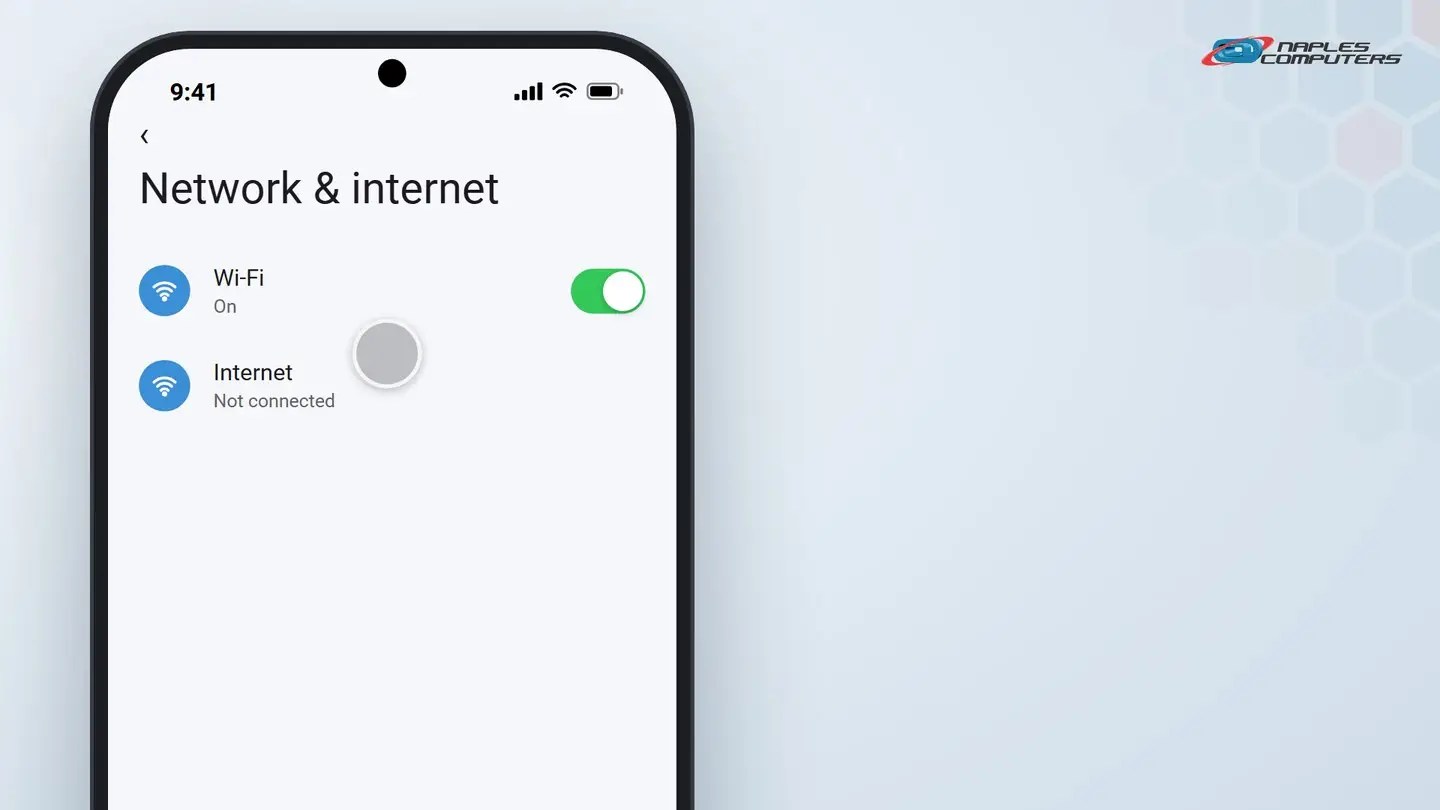
Open Settings, then tap Network & internet, then Internet.
A few tips
- Don’t know the password? — Check the label on the router itself, or ask whoever set it up
- Not seeing your network? — Make sure Wi-Fi is turned on, and you’re close enough to the router
- Be careful on public Wi-Fi — Avoid online banking or typing passwords on open networks at a cafe or airport
Recap: connecting an iPhone or Android phone to Wi-Fi
- iPhone: Settings, Wi-Fi, tap your network, enter the password
- Android: Settings, Network & internet, Internet, tap your network
- Type the password, then Join or Connect
- A checkmark means you’re connected
Printable quick guide
Frequently asked questions
How do I connect my iPhone to Wi-Fi?
Open Settings, then tap Wi-Fi. Tap the name of your network, enter the password if asked, then tap Join. A checkmark next to the network name means you’re connected.
How do I connect my Android phone to Wi-Fi?
Open Settings, then tap Network & internet, then Internet. Tap your network, enter the password, then tap Connect.
I don’t know my Wi-Fi password. Where do I find it?
Check the label on the router itself; many list a default network name and password. You can also ask whoever originally set up the internet service.
My phone isn’t showing my Wi-Fi network. What should I check?
Make sure Wi-Fi is turned on in Settings, that you’re close enough to the router, and that the router itself is powered on and working.
Related guides
- How to join and use Zoom or Microsoft Teams
- How to connect a new printer (Wi-Fi setup)
- Slow Wi-Fi at home? Fixes, and when mesh Wi-Fi helps
Source: Connect to Wi-Fi on your iPhone or iPad (Apple Support)