
Sooner or later, you’ll need to find your computer’s model and serial number: a support technician asks for it, a warranty needs checking, or you’re buying replacement parts and need to know exactly what will fit. The steps are different on Windows 11 and on a Mac, and on Windows the answer isn’t always sitting on the page you’d expect, so this guide walks through both, plus a couple of backup options if the first place you look comes up empty. None of this costs anything or requires installing anything extra; it’s all built into both operating systems already.
Find your computer’s model and serial number, step by step
!Support just asked for your computer’s model number?
Here’s exactly where to find your model name and serial number, on Windows and Mac.

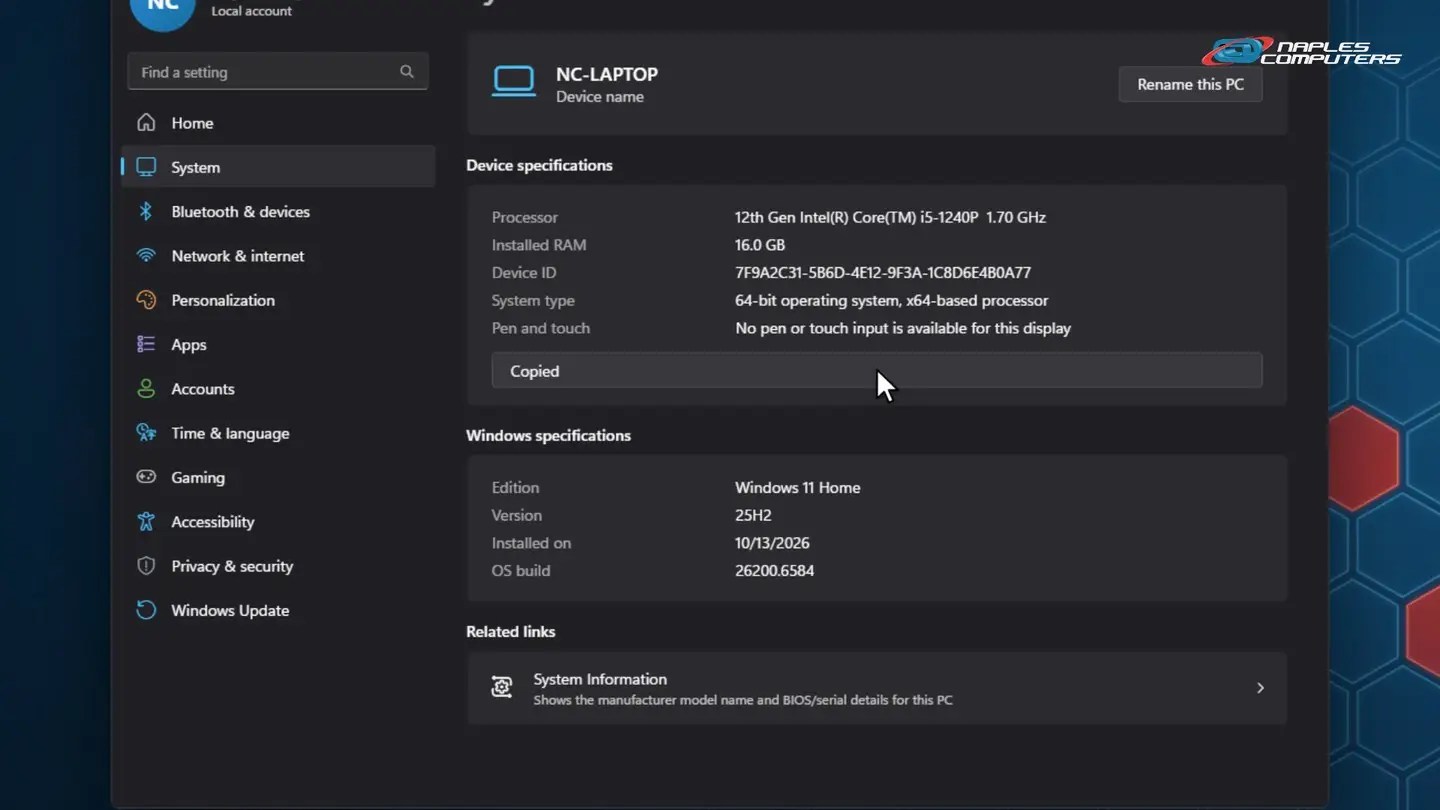
1Windows 11: Settings, System, About
Settings → System → About. This shows your processor, RAM, and Windows version.
2Mac: Apple menu, About This Mac
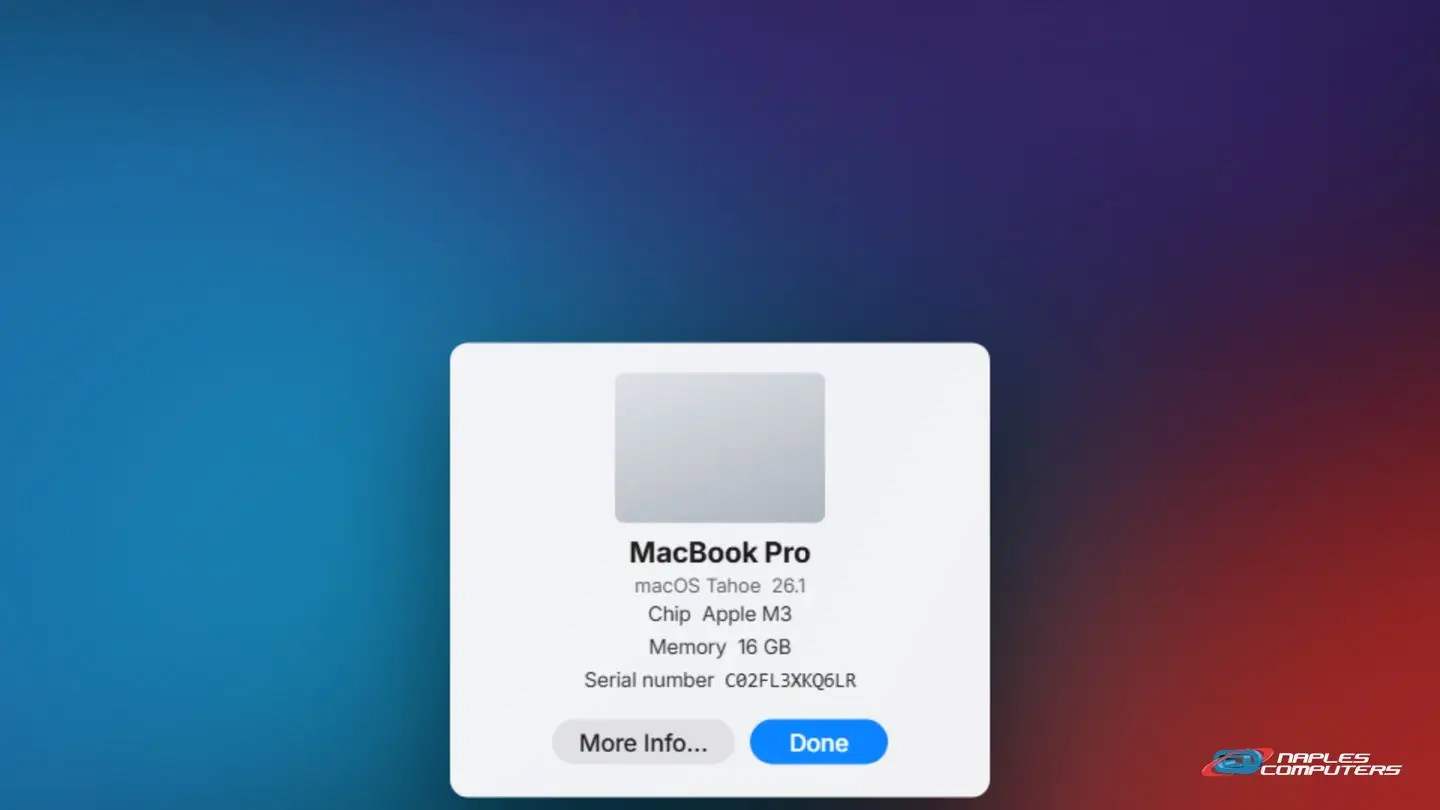
Click the Apple menu, then About This Mac. The model name and serial number are both right there.
A few tips
- Windows: try System Information — Search Start for “System Information”; the System Summary tab lists System Manufacturer and System Model
- Still no luck? Check the label — Many laptops and desktops print the model and serial on a sticker, on the bottom, back, or battery compartment
- Keep it somewhere safe — Snap a photo of the label, or save the serial number in your notes, before you ever need it
Recap: find your computer’s model and serial number
- Windows 11: Settings, System, About
- No serial there? Try System Information (msinfo32)
- Mac: Apple menu, About This Mac – model and serial both shown
- No luck on either? Check the label on the device
Printable quick guide
Frequently asked questions
How do I find my computer’s model number on Windows 11?
Open Settings, then System, then About. This page shows your processor, installed RAM, and Windows version, but most pre-built PCs don’t show a model name or serial number there. For that, search the Start menu for System Information and check the System Summary tab, which lists the System Manufacturer and System Model.
Where’s the serial number on a Mac?
Click the Apple menu in the top-left corner and choose About This Mac. The window that opens shows the model name and the serial number together, right away.
What if Windows doesn’t show a serial number at all?
That’s common on many pre-built and custom desktops. Open System Information (type “System Information” into the Start menu search) and check the System Summary tab, or look for a sticker with the model and serial number on the bottom, back, or battery compartment of the device.
What can I do with my Mac’s serial number?
You can enter it at checkcoverage.apple.com to check your Mac’s warranty and repair coverage status in a few seconds.
Related guides
- Keyboard Shortcuts Everyone Should Know
- Zoom, Magnifier, and Voice Typing: Accessibility Made Easy
- How to Make Text Bigger (iPhone, Android, Windows, Mac)
Source: Find your Mac model name and serial number (Apple Support)